 DumbStitchOpen DumbStitch
How to digitize embroidery for free
Most digitizing software costs a lot and takes weeks to learn. If you want to put a name, a logo or a simple picture on something, you can do it for free in your web browser with DumbStitch. Nothing to install, no account, no watermark.
Digitize a picture or logo
- Open DumbStitch and pick A picture and what it's going on.
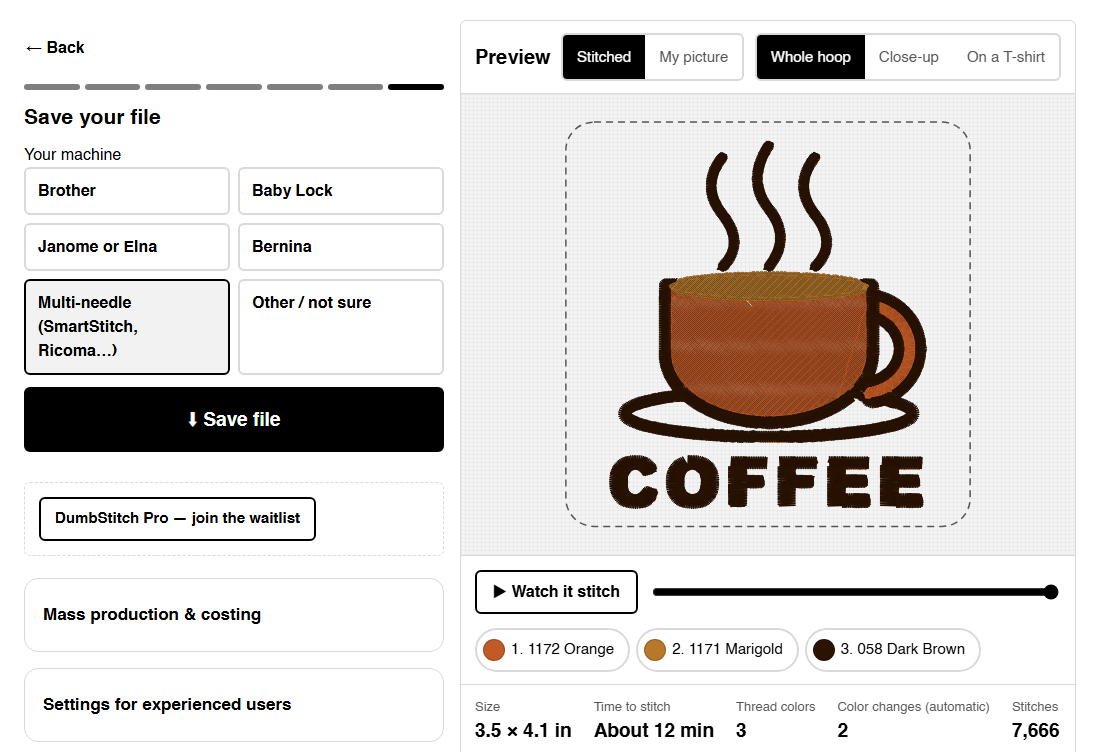
- Add the picture and check the size and thread colors.
- Watch it stitch, then tap your machine's brand to save.
Digitize a name or words
- Pick Words and what it's going on.
- Type the words and pick a style. Many are hand-digitized embroidery fonts.
- Pick the thread color, watch it stitch and save.
Need the same lettering for a whole team? Many names on the save step makes one file per name, all in one .zip.
Or draw it
Draw with threads lets you draw a design with your finger, a pen or a mouse and save it as a stitch file.
What free digitizing can and can't do
DumbStitch is made for names, monograms, logos, clip art and simple drawings. It does the digitizing for you. If you want to place every stitch by hand, that's what big professional programs are for.
Questions
Is there free embroidery digitizing software?
Yes. DumbStitch is free and runs in your browser. It saves PES, DST, JEF, EXP, VP3 and XXX files.
Does it work on a phone or iPad?
Yes. It works in the browser on phones, tablets and computers.
Will free digitizing work on my machine?
DumbStitch saves PES (Brother, Baby Lock), JEF (Janome, Elna), EXP (Bernina), VP3 (Pfaff, Husqvarna Viking), XXX (Singer) and DST (most multi-needle machines). Stitch a test on scrap first.